> ## Documentation Index
> Fetch the complete documentation index at: https://hedera-0c6e0218-fix-asset-tokenization-docs.mintlify.site/llms.txt
> Use this file to discover all available pages before exploring further.
# Single Node Configuration
**Hiero Local Node Deprecation (September 2026)**
Hiero Local Node is entering a 6-month deprecation period. Support ends September 2026. Migrate local testing and CI workflows to [Solo](https://solo.hiero.org/docs/) before then. [Learn more](https://hedera.com/blog/hiero-local-node-deprecation-6-month-transition-to-solo/).
## Using Single Node Configuration
Single node configuration simulates the network’s functions on a smaller scale (single node), ideal for debugging, testing, and prototype development.
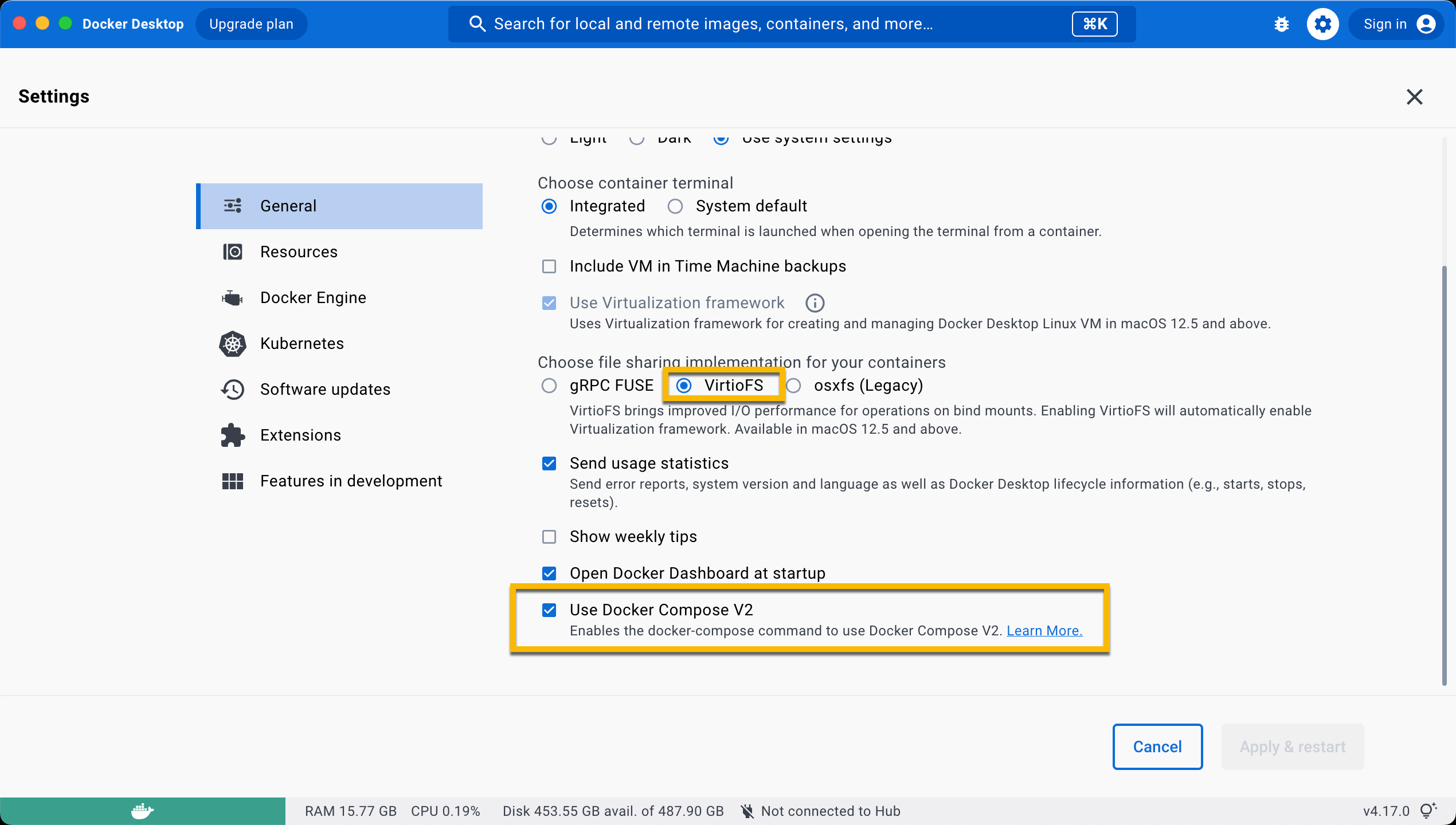
Ensure the **`VirtioFS`** file sharing implementation is enabled in the docker settings.
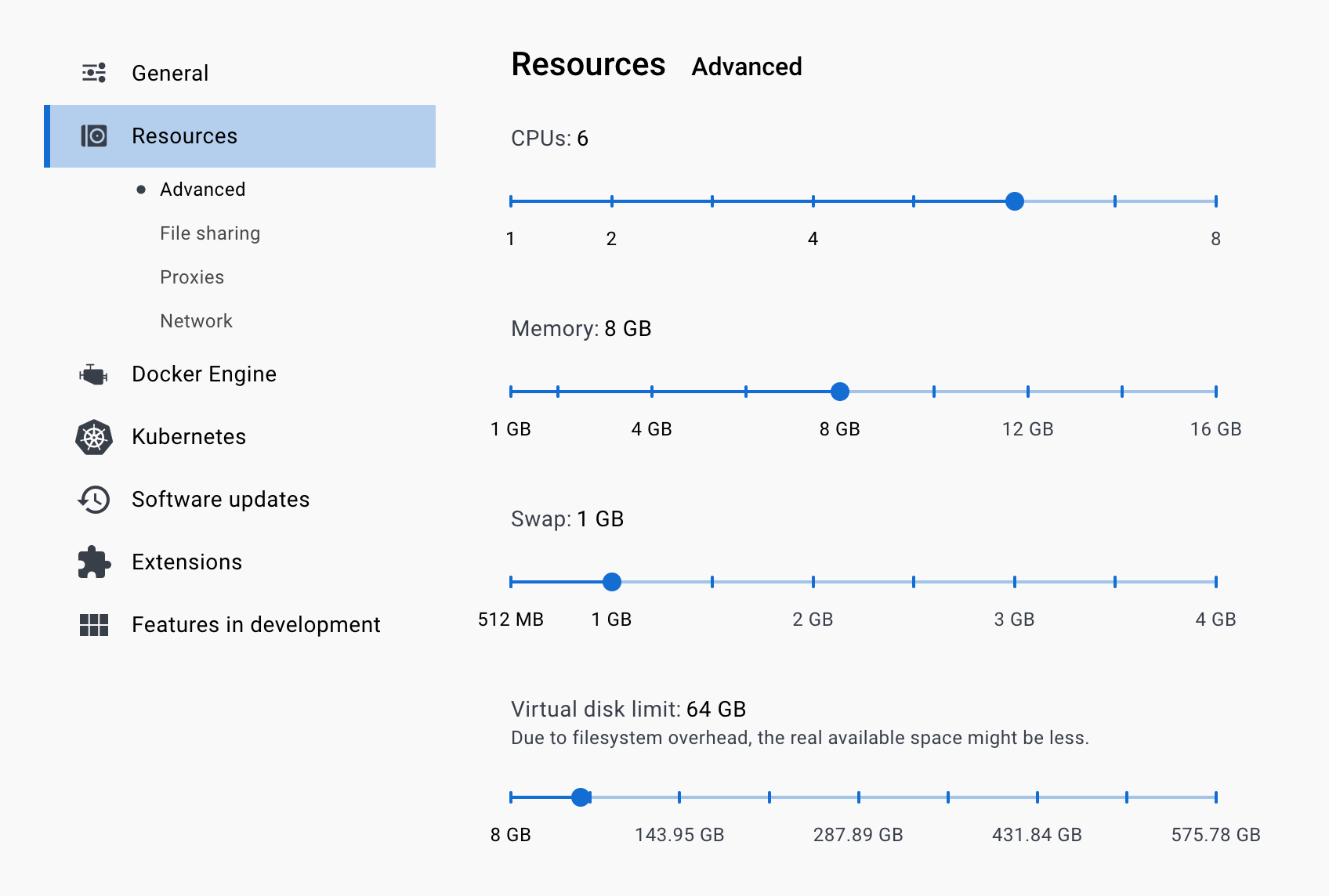
 Ensure the following configurations are set at minimum in Docker **Settings** -> **Resources** and are available for use:
**CPUs:** 6
**Memory:** 8GB
**Swap:** 1 GB
**Disk Image Size:** 64 GB
Ensure the following configurations are set at minimum in Docker **Settings** -> **Resources** and are available for use:
**CPUs:** 6
**Memory:** 8GB
**Swap:** 1 GB
**Disk Image Size:** 64 GB
 Ensure the **`Allow the default Docker sockets to be used (requires password)`** is enabled in Docker **Settings -> Advanced**.
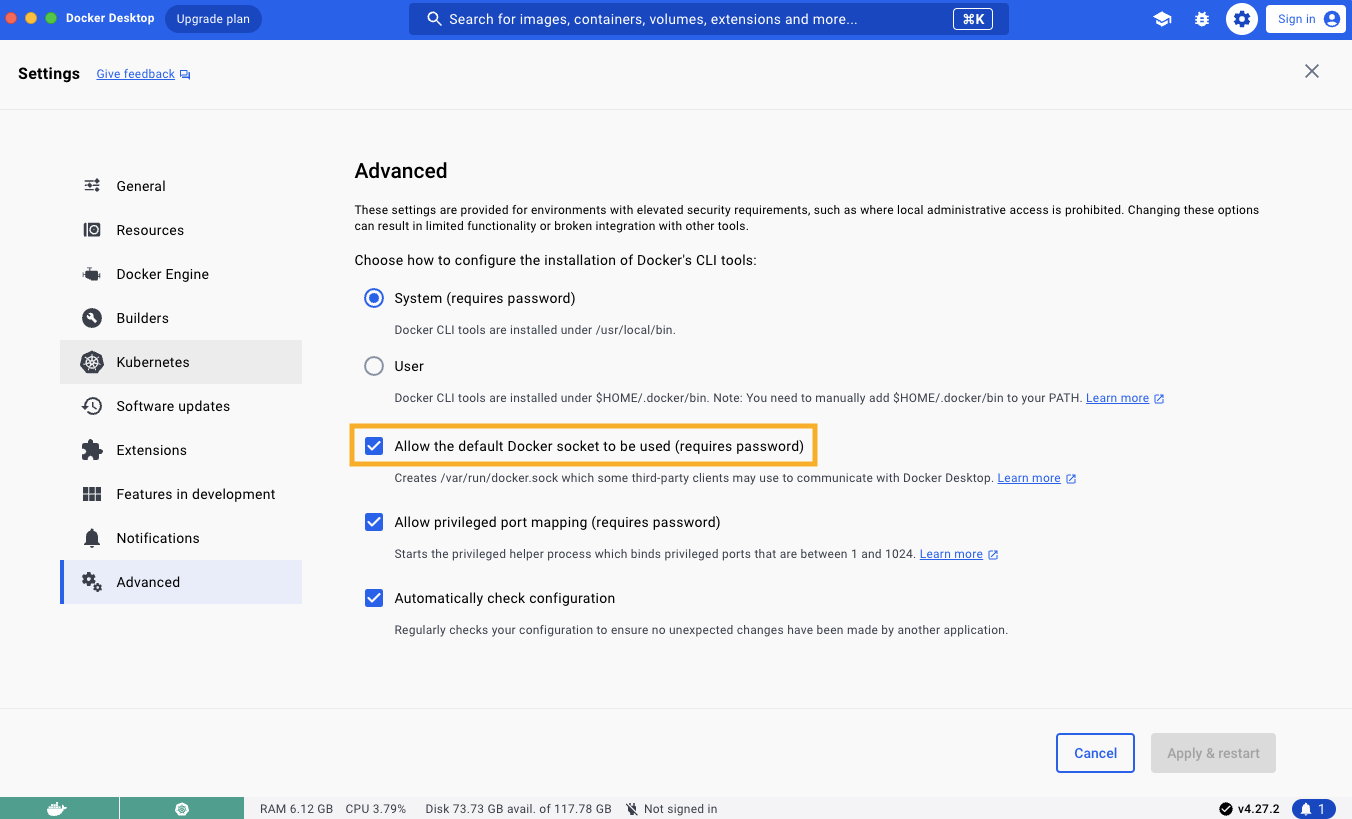 **Note:** The image may look different if you are on a different version
#### **Starting and Stopping Node**
Before launching the network commands, confirm that Docker is installed and open on your machine. To stop your local node, use the following `npm` or `docker` commands. Before proceeding with this operation, make sure to back up any manually created files in the working directory.
```bash wrap theme={null}
# npm command to start the local network and generate accounts in detached mode
npm run start -- -d
# npm command to stop
npm run stop
# npm command to restart node
npm run restart
```
```bash theme={null}
# Docker command to start the local network. Does not generate accounts
docker compose up -d
# Docker command to stop services
docker compose stop
# Docker command to restart local network
docker compose restart
# Docker command to stop local network and remove containers
docker compose down
```
Alternatively, run `docker compose down -v; git clean -xfd; git reset --hard` to stop the local node and reset it to its original state. The full list of available commands can be found [here](https://github.com/hiero-ledger/hiero-local-node?tab=readme-ov-file#commands).
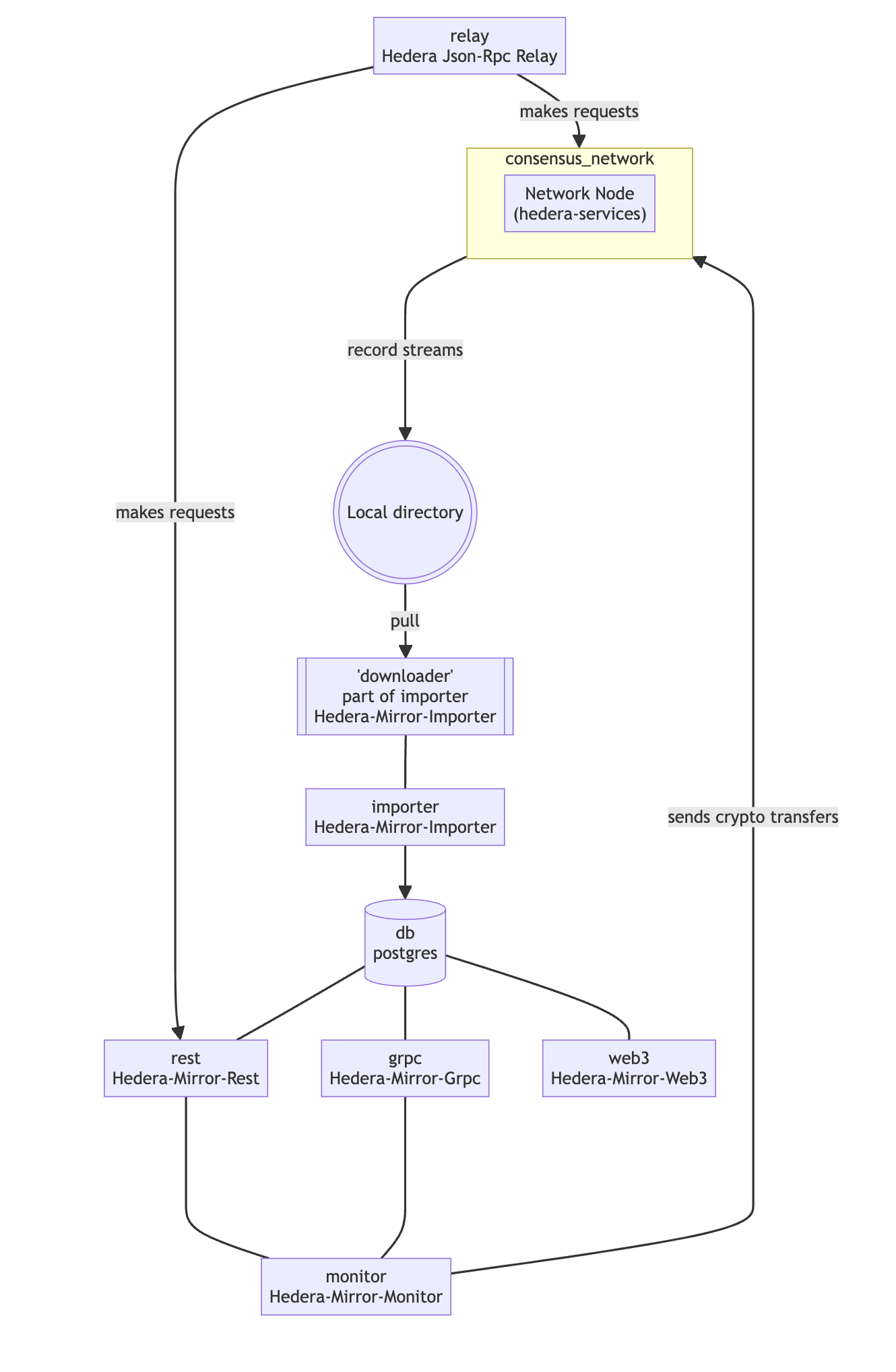
#### Single Node Mode Diagram
The following diagram illustrates the architecture and flow of data in single node mode.
**Note:** The image may look different if you are on a different version
#### **Starting and Stopping Node**
Before launching the network commands, confirm that Docker is installed and open on your machine. To stop your local node, use the following `npm` or `docker` commands. Before proceeding with this operation, make sure to back up any manually created files in the working directory.
```bash wrap theme={null}
# npm command to start the local network and generate accounts in detached mode
npm run start -- -d
# npm command to stop
npm run stop
# npm command to restart node
npm run restart
```
```bash theme={null}
# Docker command to start the local network. Does not generate accounts
docker compose up -d
# Docker command to stop services
docker compose stop
# Docker command to restart local network
docker compose restart
# Docker command to stop local network and remove containers
docker compose down
```
Alternatively, run `docker compose down -v; git clean -xfd; git reset --hard` to stop the local node and reset it to its original state. The full list of available commands can be found [here](https://github.com/hiero-ledger/hiero-local-node?tab=readme-ov-file#commands).
#### Single Node Mode Diagram
The following diagram illustrates the architecture and flow of data in single node mode.